How do I change the color of a tag?
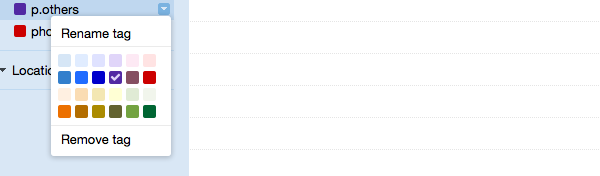
- Hover over the tag you wish to change the color of in the left navigation column.
- Click on the dropdown arrow to the right of the name to display tag options.
- Click on the desired color.
Note: Tag colors are available exclusively for users. Learn more about Pro features
Still need help?
Contact a human