How do I rename a list?
To rename a list:
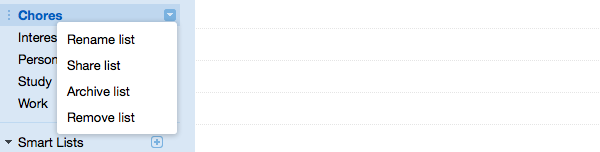
- Hover over the list you wish to rename in the left navigation column.
- Click on the dropdown arrow to the right of the name to display list options.
- Click Rename list.
- Edit the list name in the text box provided and press the Enter key.
Still need help?
Contact a human