Explore the help topics, and if you can't find your answer or just want to say 'hi', please come by the forums (which are filled with friendly folk, we promise!) or email us.
Top questions
Quick question?
Tweet @rememberthemilk
How do I set up Quick Add for Google Chrome?
You can set up Quick Add for use with Chrome by dragging the "Add to RTM!" link below to your bookmarks bar.
Setting up Quick Add for Chrome
Following are screenshots that demonstrate how to set up Quick Add for use with Chrome:
Step 1
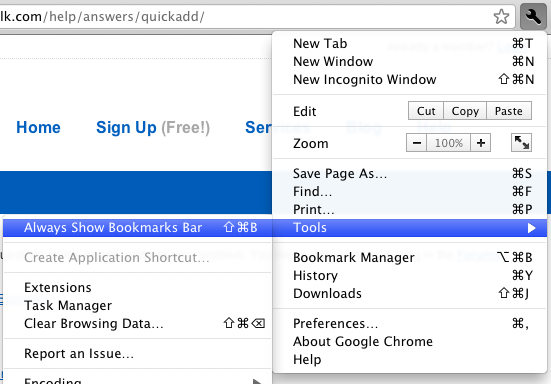
Go to the Tools menu and click "Always show bookmarks bar". (Alternatively, you can press Ctrl+B or Command+B on OS X.)
Step 2
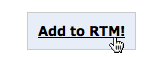
Hover over the "Add to RTM!" link and start dragging.
Step 3
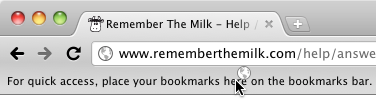
Drag the link to the bookmarks toolbar. Drop the link once over the toolbar.
Step 4
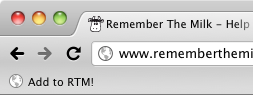
The bookmark is automatically created.
Okay, I've set it up, now what do I do?
Find out how to use Quick Add.
Still need help?
Contact a human